SSO Configure
Provision users with Glance single sign-on through the configuration screen. The best way to obtain values for most fields in this screen is to upload a Metadata XML file. Most identity provider operators can provide it.
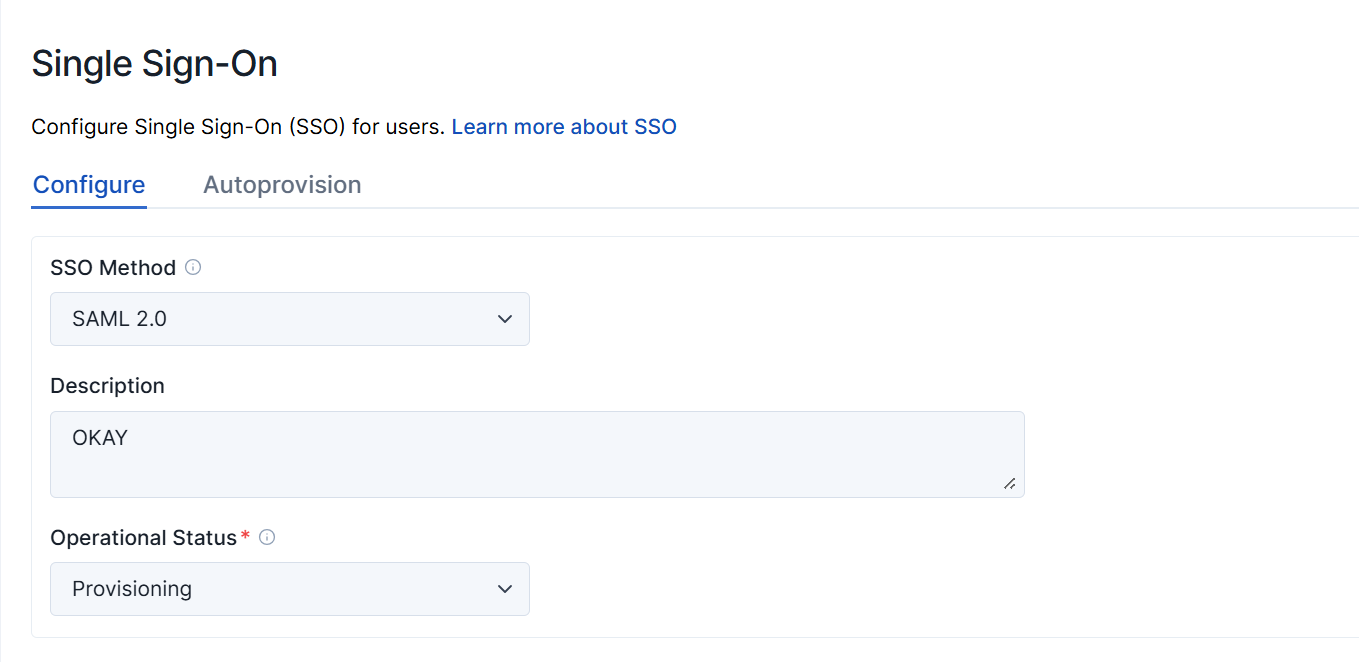
Single Sign-On Method: You may choose Off, SAML 2.0, or Encrypted SAML 2.0. Most SAML customers use SAML 2.0 (without encryption).
Description: A text field describing the SAML setup.
Operational Status: When you first provision a new account, set this to Provisioning. This setting causes SAML authentication attempts to put entries in the Access Log. When the provisioning is stable, change this to Production.
Identify Provider Configuration
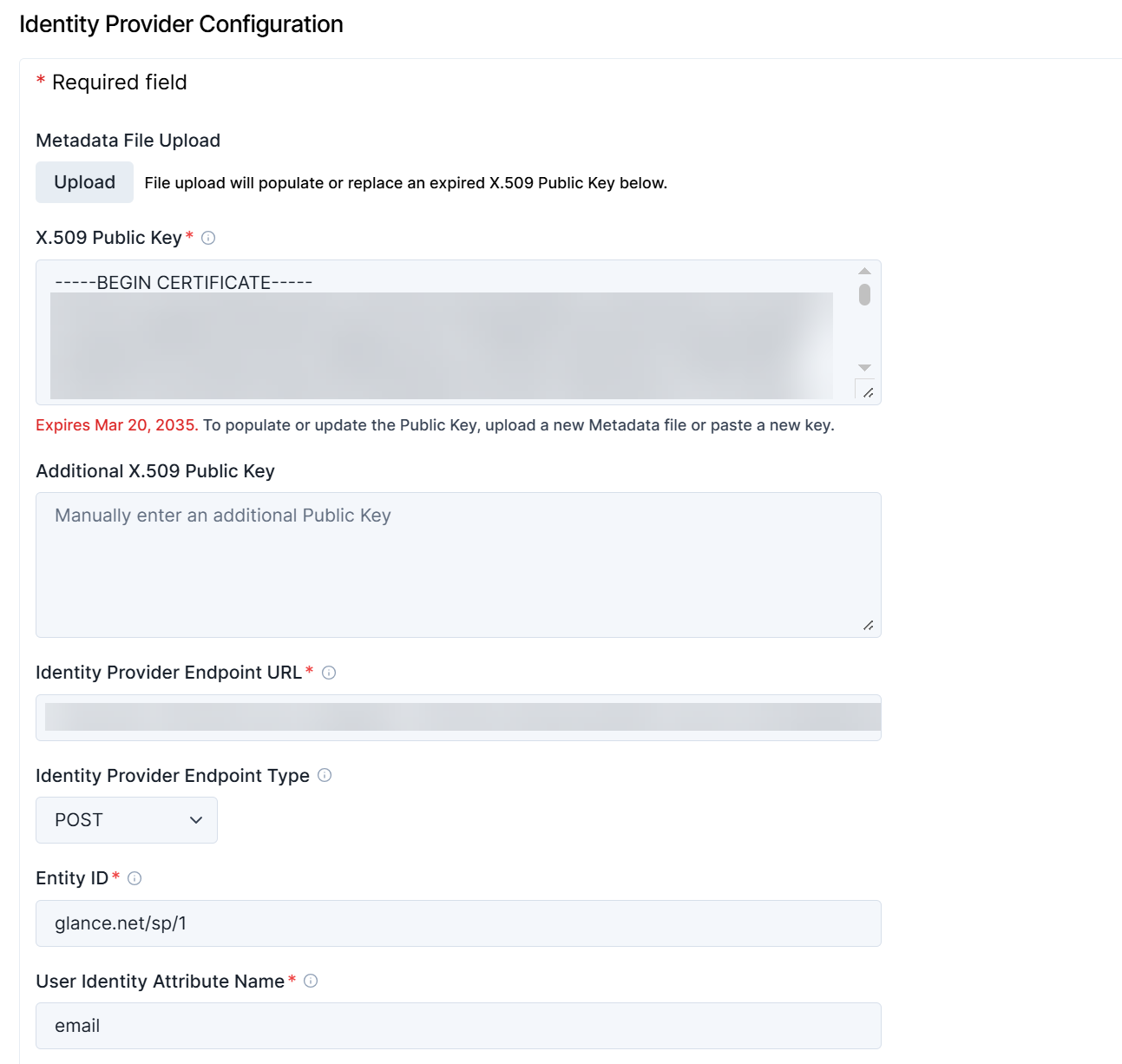
Metadata File Upload: Upload an XML document furnished by the identity provider. Metadata Discovery Endpoints are very helpful because they set most of the required fields on this provisioning page.
X.509 Public Key: Your identity provider furnishes one or more public keys for Glance to use when validating Assertions, the tokens sent to Glance from identity providers. The identity provider cryptographically signs Assertions with a private key matching one of these public key. Cryptographic signing prevents Assertions from being forged. A Metadata Discovery Endpoint contains the public key or keys. See Changing Public Keys below for more information about these fields.
Additional X.509 Public Key: If your identify provider has given you an additional public key certificate, enter it here.
Identity Provider Endpoint URL: This is the URL, furnished by the identity provider, to which Glance presents authentication requests. A Metadata Discovery Endpoint document contains it.
Identity Provider Endpoint Type: Glance presents authentication requests to your identity provider using either https redirect, or an https POST operation. Your identity provider furnishes this value. A Metadata Discovery Endpoint document contains it.
Entity ID: This is the federation entity ID (also sometimes known as the relying party trust identifier) for the Glance service provider. In most cases it should be set to glance.net/sp/1. Some cloud identity providers will provide the correct value.
User Identity Attribute Name: Assertions, the tokens sent to Glance from identity providers, contain one or more attributes describing the authenticated user. Put the name of the attribute uniquely identifying the user. The attribute value must uniquely match the Glance user’s Glance Address, Partner User ID, or Email Address.
Optional Configuration
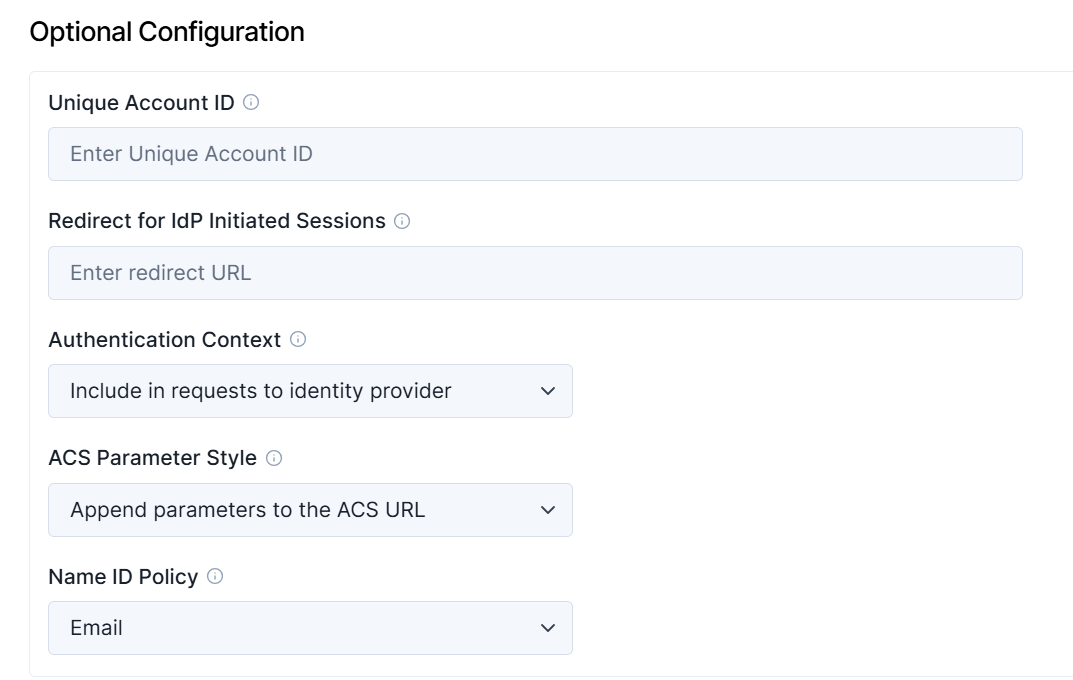
Unique Account ID: For some identity providers, this must have a specific value. For example, for Salesforce.com accounts, it should contain the Organization ID. For Entra accounts, it should contain the Tenant Unique Name. If you set it, you can use its value in the idptoken parameter in Service Target URLs (described later in this document). If it is not required by your identity provider, you may leave it blank.
Redirect for IdP-initiated sessions: Some identity providers allow users to initiate single sign-on directly from the identity provider’s user interface. This value allows you to redirect those users to an appropriate page on the Glance service. For example, /agentjoin/agentjoin.aspx presents the Cobrowse join page to users coming in via the identity provider. This field must contain a relative URL to a page within the Glance backend. It may not contain an absolute URL: any URL starting with https://.
Authentication Context: Most identity providers require elements called authentication contexts when Glance sends single sign-on requests. Others do not allow them. Your identity provider gives you this setting.
ACS Parameter Style: Your identity provider responds to single sign-on requests using a Glance URL called an Assertion Consumer Service (ACS). In most cases, parameters describing what to do after single sign-on can be appended to the ACS. In some cases your identity provider passes those parameters in a separate Relay State element. Your identity provider gives you this setting.
Name ID Policy: Most identity providers require an element called a NameID Policy when Glance sends a single sign-on request. In most cases, the NameID Policy should specify an Email, but some identity providers require the policy to be Unspecified. Your identity provider gives you this setting.
Changing Public Keys
Glance supports multiple public keys. Each one is used in turn to attempt to validate each SAML Assertion.
From time to time, identity provider operators may replace (rotate) the cryptographic key they use to sign SAML assertions. When this happens it is necessary for the identity provider operator to furnish the new public key to Glance. These steps allow for seamless key-pair changes, without the need to synchronize changes to your identity provider and Glance’s provisioning screen.
-
The identity provider operator generates a new public / private key pair.
-
Glance puts the new public key into the provisioning screen as an “additional public key.”
-
The identity provider operator starts using the new key pair.