Security
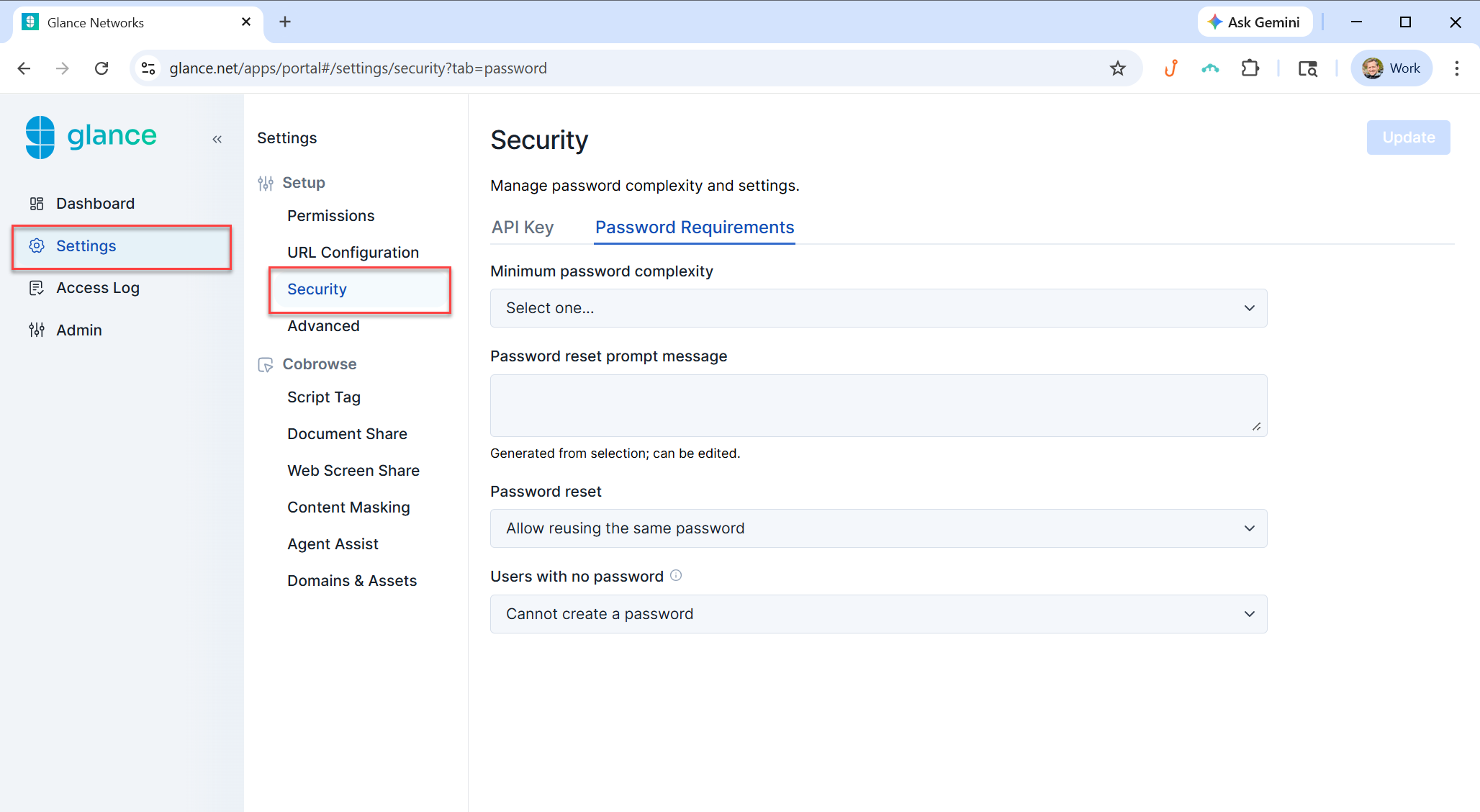
The Security page can be accessed through the Settings section and allows the user to create and manage API Keys and password requirements.
API Keys
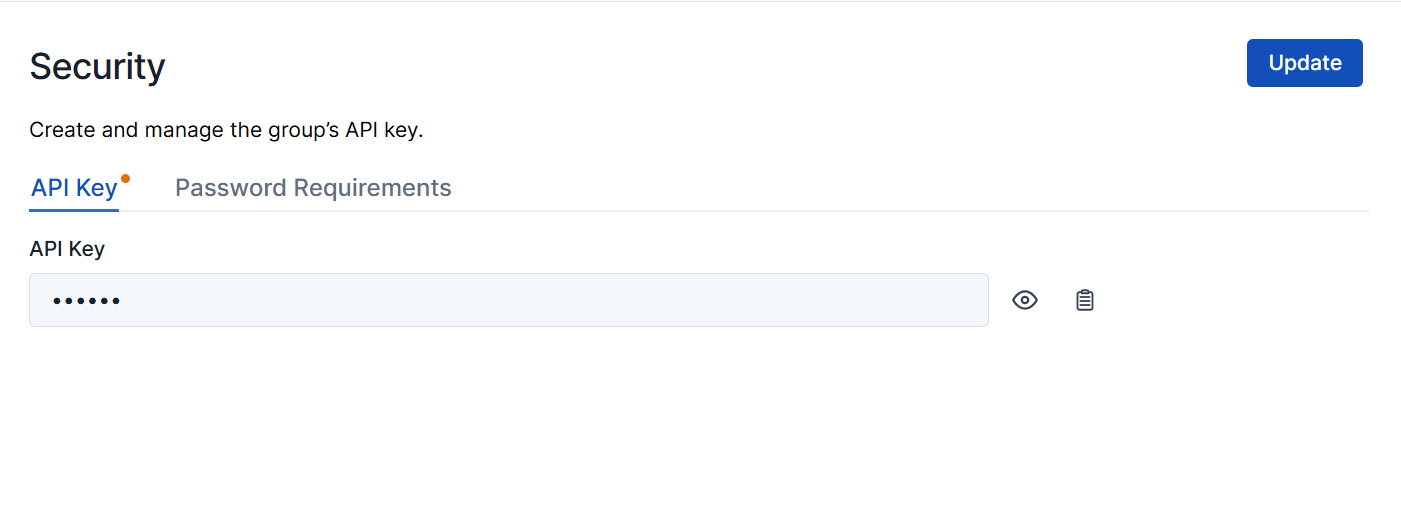
Each Glance customer account has an API Key. It is used to generate Login Keys to grant access to Glance.
- Select the clipboard icon next to the API Key field to copy your key.
- Input a new API Key and click the Update button to change your current API Key.
Once an API Key is changed, Glance rejects future Login Keys generated with the old API Key.
Password Requirements
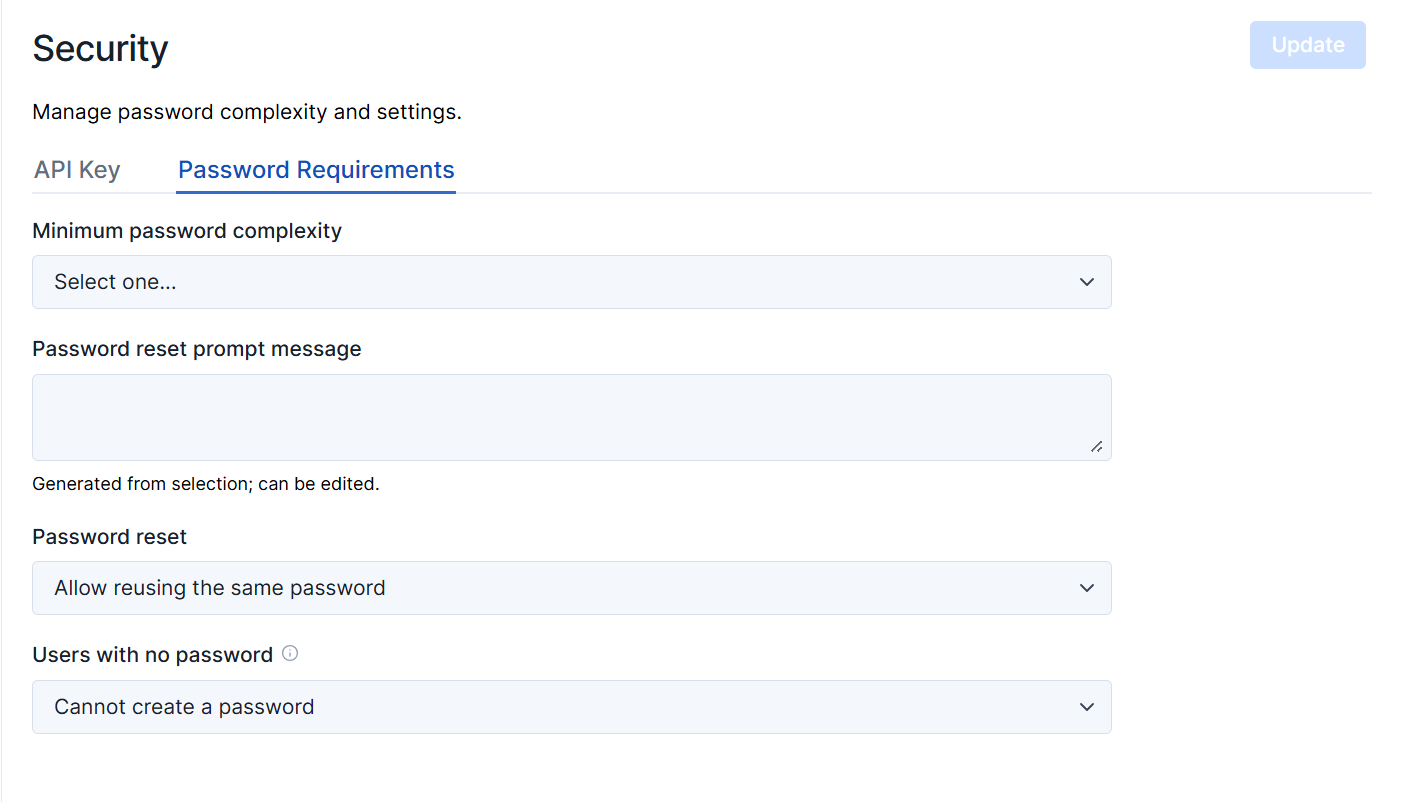
Password requirement settings apply to the passwords used to log into Glance. They are only enforced when users create new passwords or change existing passwords. They do not apply to:
- Session Keys
- Login Keys
- API Keys
Minimum password complexity
Choose one of the following for password complexity:
- 6-character minimum length (not secure).
- 7-character minimum, with uppercase, lowercase, and digit characters.
- 8-character minimum.
- 8-character minimum, with uppercase, lowercase, and digit characters.
- 8-character minimum, with one or more non-alphanumeric characters.
- 9-character minimum.
- 9-character minimum, with uppercase, lowercase, and digit characters.
- 9-character minimum, with one or more non-alphanumeric characters.
Password reset prompt message
The message shown when resetting a password.
Password reset
Select the requirements for when a user changes their password:
- Allow reusing the same password.
- Require a new password.
Users with no password
Select the action for users without a password:
- Cannot create a password.
- Can create a password via Password Reset.